Workout Schedule
It only bugs you on the days you pick.
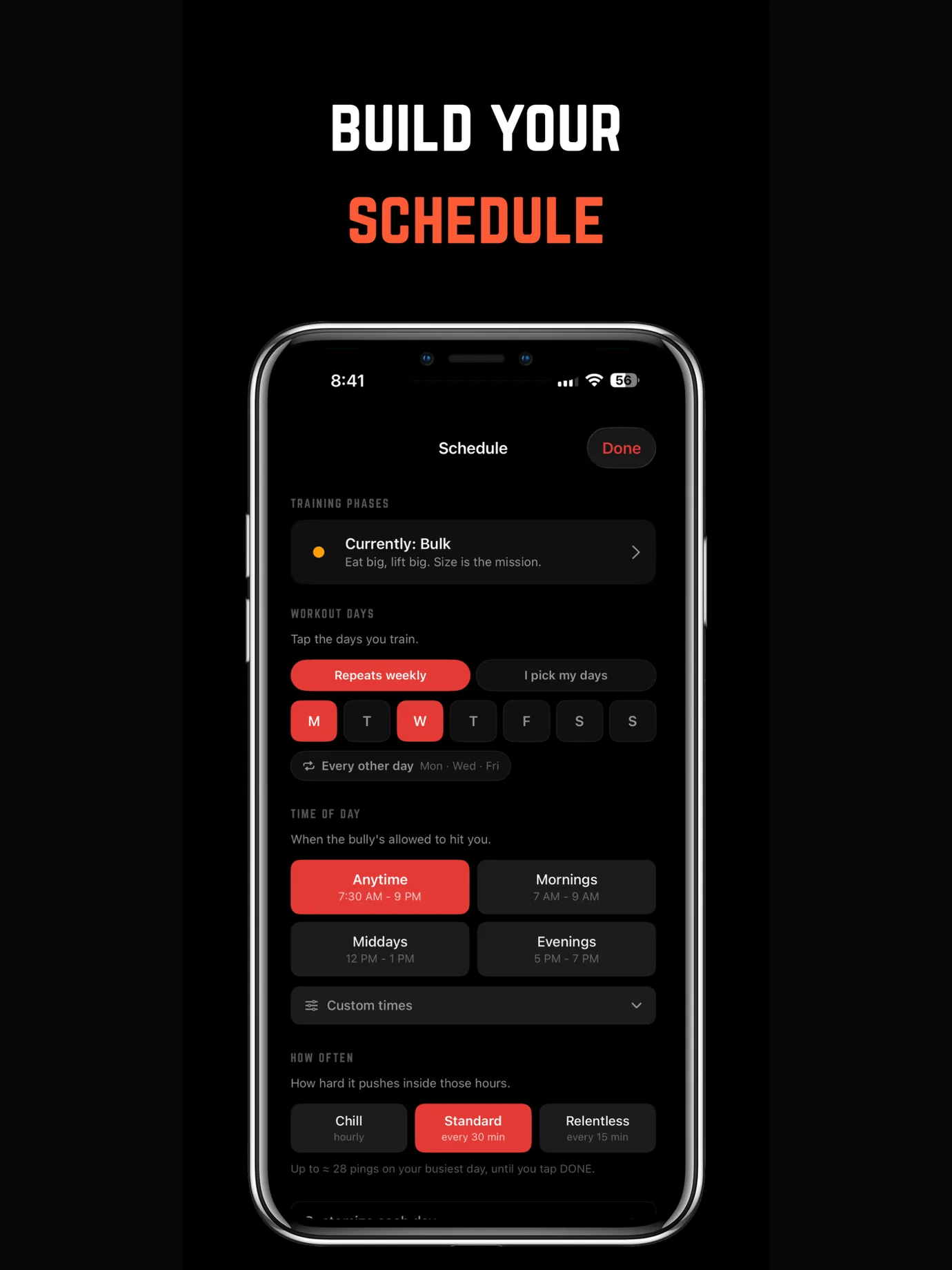
Tell the bully which days you train. It only texts you on those days, and it stops the second you tap DONE. Rest days stay quiet.
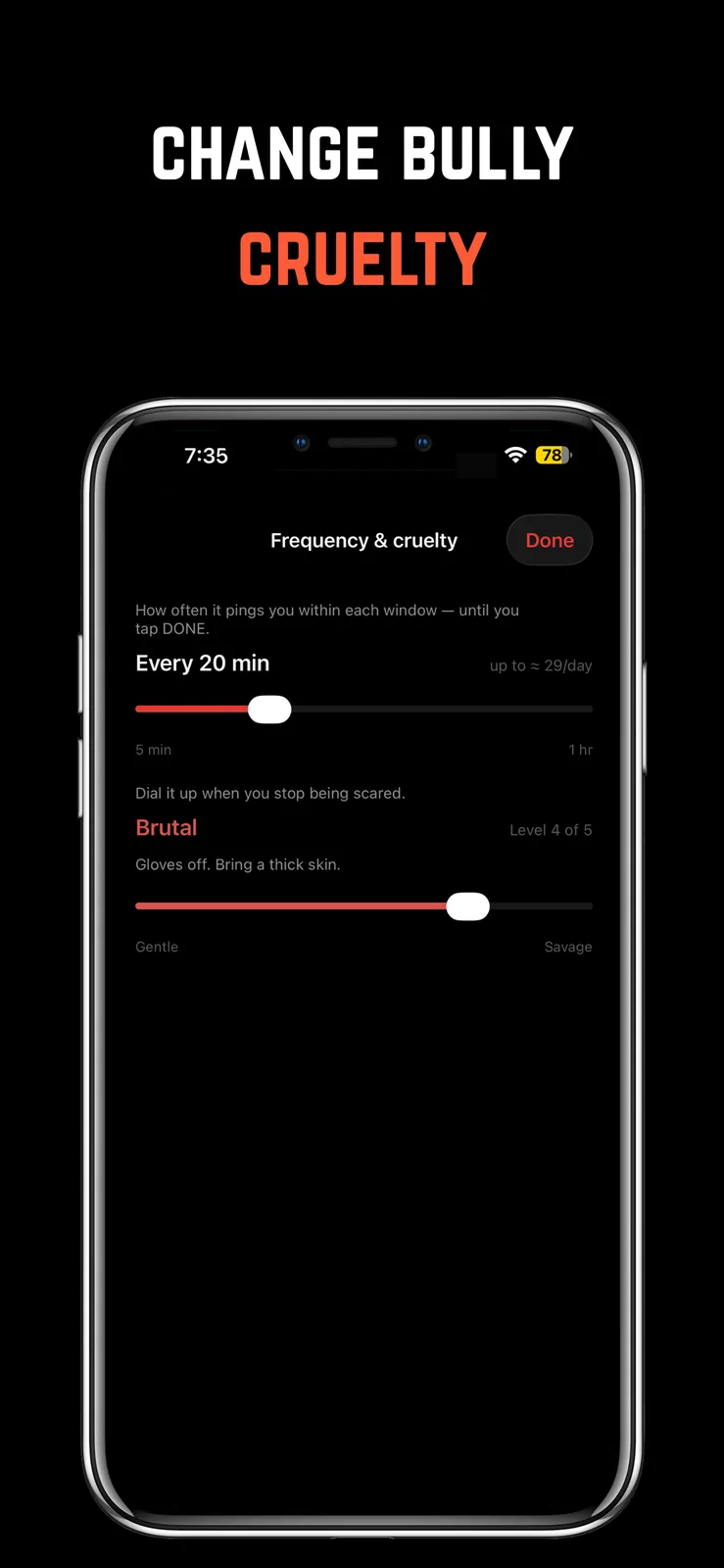
Pick the same days every week, or plan each day on the calendar. Choose the hours it can reach you and how often it pings. You can even turn the pings off and just use the app.
“today's box is still empty, kid. fill it.”
Coach, on the record
Scroll →
Weekly, or one day at a time
Train the same days every week, or plan each day on the calendar. Not sure where to start? One tap picks Monday, Wednesday and Friday.
It only texts when you can go
Pick mornings, middays, evenings, or any time. The bully stays quiet outside the hours you choose.
From off to relentless
Every hour, every 30 minutes, or every 15. Or turn the pings off. The day still counts either way.
Done means quiet
The texts stop the moment you tap DONE. Need a break? Pause it for a day, three days, or a whole week.
This one comes
with a bully attached.
Free to download on iPhone. One subscription unlocks the whole app, workout schedule included, plus the four voices that make sure you actually use it.
- How to Set a Workout Schedule You'll Actually FollowHow to set a workout schedule that survives real life: realistic frequency, fixed vs. flexible days, time windows, and accountability that holds you to it.
- The Best Gym Reminder App (and Why a Reminder Alone Won't Get You There)Looking for a gym reminder app? Here's why a plain notification gets swiped away in a second, and what a reminder needs to actually drag you to the gym.
- How to Work Out Consistently With a Busy ScheduleHow to work out with a busy schedule using time-boxing, a minimum effective dose, fixed windows you defend, and accountability that holds the slot.
- Is There an App That Texts You to Work Out? (SMS vs. Push)Want an app that texts you to work out? Here's what's actually out there, why a text alone is easy to ignore, and how relentless push plus stakes beats SMS.