
Weight & BMI Tracker
The chart does not negotiate.
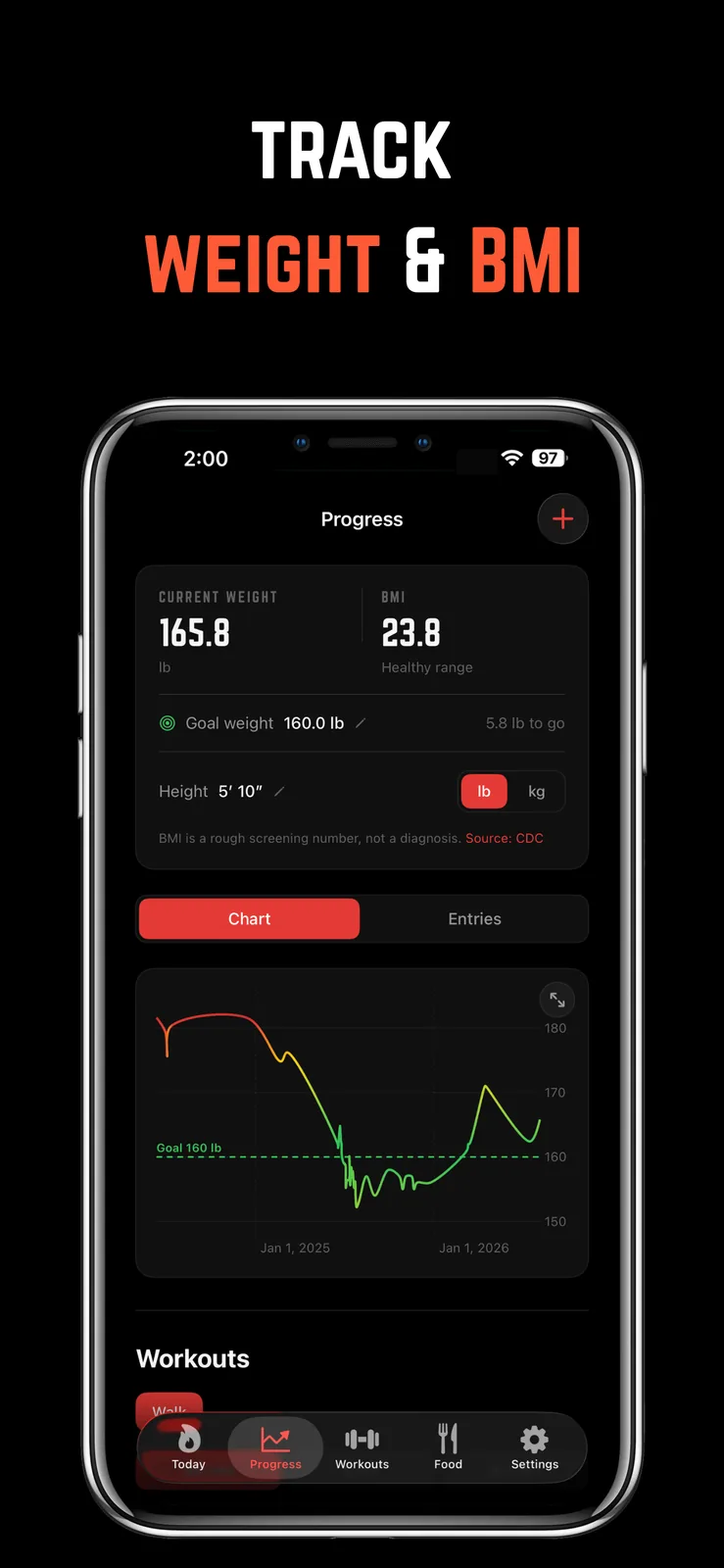
Log weigh-ins in seconds and watch the chart color itself by how far you are from your goal weight. Set the goal once and every entry lands somewhere between "getting there" and "we need to talk."
BMI comes along for the ride, and weigh-ins sync with Apple Health in both directions, so entries from a smart scale or another app show up here too.
“log it, kid. the data doesn't flinch and neither should you.”
Coach, on the record
Colored by distance from goal
The weight chart shades every point by how close it sits to your goal, so the trend reads at a glance. Pinch to zoom, tap any point for that day's story.
Syncs both ways
Weigh-ins flow to and from Apple Health. A smart scale entry lands in your chart; a weigh-in here lands in Health.
Photos attached to the number
Capture a progress photo right from the weigh-in editor, so the timeline keeps the picture and the number together.
This one comes
with a bully attached.
Free to download on iPhone. One subscription unlocks the whole app, weight & bmi tracker included, plus the four voices that make sure you actually use it.
- Why Your Weight Jumps Around Day to Day (and How to Read the Trend)Why does your weight fluctuate day to day? Water, salt, carbs, food, and the weekend all move the scale. Here's how much is normal and how to read the trend instead.
- How to Take Progress Photos You'll Actually UseHow to take progress photos that show real change: same light, same spot, same poses, the right camera height, and how often to take them. Plus when to skip them.
- Bulk, Cut, or Recomp? How to Plan Your Phases on a CalendarHow to plan bulk and cut phases: how fast to gain or lose, how long each phase should last, when recomp makes sense, and how to lay it all out on a calendar.
- Bet on Showing Up, Not Weight Loss (Why Effort Bets Win)Bet on showing up, not weight loss. Why effort bets beat outcome bets like HealthyWage. Fairer, healthier, and more durable, because you actually control the target.