
Progress Photo Comparison
Receipts on a timeline.
Snap progress photos on weigh-in days and they land on a timeline with the date and weight attached. Pick any two and compare them side by side. The mirror has opinions; the timeline has evidence.
Point the body fat AI at any photo for an approximate body fat percentage, and back the whole timeline up to your account so it follows you to your next phone.
“youngblood, the mirror forgets. the timeline never does.”
Unc, on the record
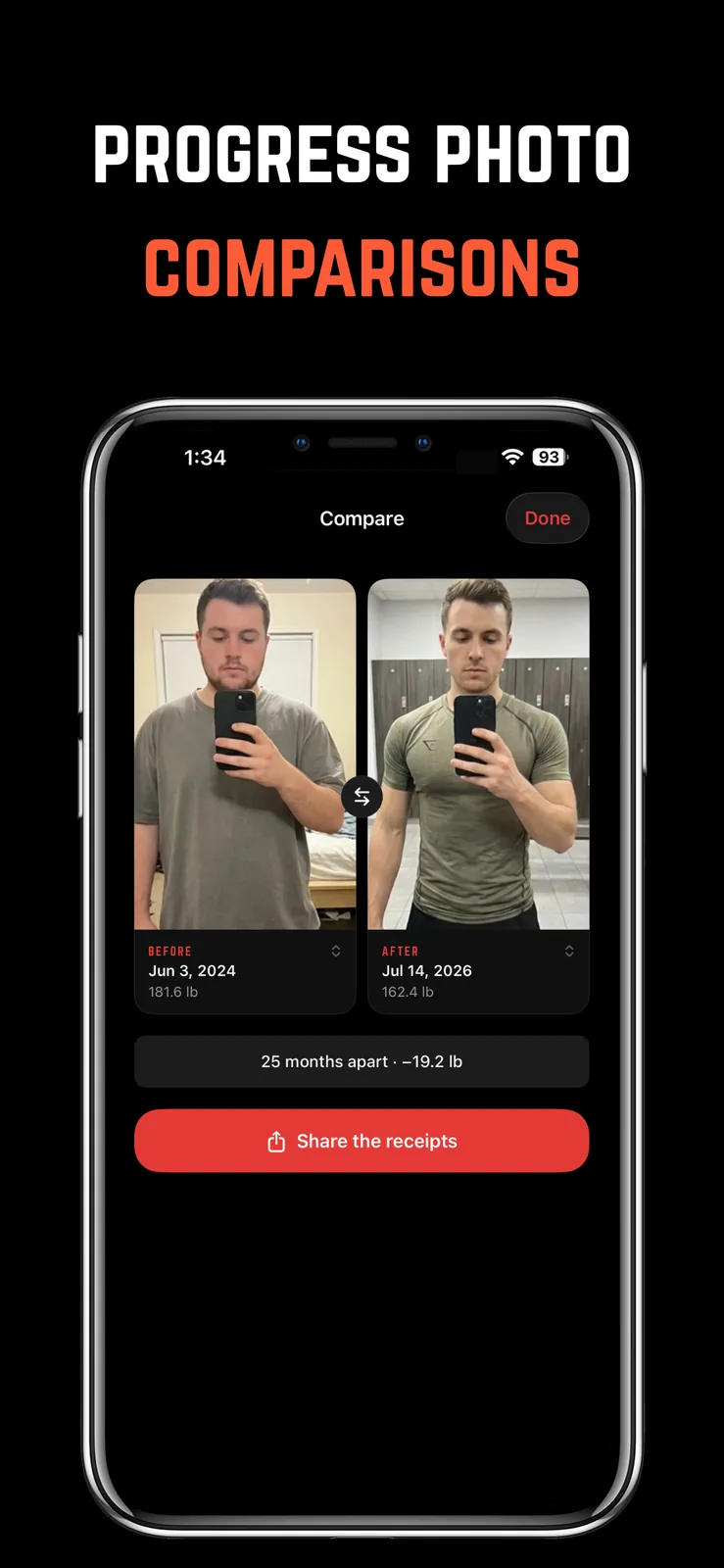
Any two dates, one frame
Compare any pair of photos with dates and weights shown, so the change is undeniable in both directions.
An estimate on demand
Run any progress photo through the AI for an approximate body fat percentage. An estimate, not a lab, and honest about it.
Photos that survive your phone
Back the timeline up to your account. Delete the app, come back later, and the receipts are still there.
This one comes
with a bully attached.
Free to download on iPhone. One subscription unlocks the whole app, progress photo comparison included, plus the four voices that make sure you actually use it.
- How to Take Progress Photos You'll Actually UseHow to take progress photos that show real change: same light, same spot, same poses, the right camera height, and how often to take them. Plus when to skip them.
- Why Your Weight Jumps Around Day to Day (and How to Read the Trend)Why does your weight fluctuate day to day? Water, salt, carbs, food, and the weekend all move the scale. Here's how much is normal and how to read the trend instead.
- Bulk, Cut, or Recomp? How to Plan Your Phases on a CalendarHow to plan bulk and cut phases: how fast to gain or lose, how long each phase should last, when recomp makes sense, and how to lay it all out on a calendar.
- Process Goals vs. Outcome Goals: Why 'Show Up 4x' Beats 'Lose 10 lbs'Process goals vs outcome goals: why 'show up 4x a week' motivates and 'lose 10 lbs' quietly demoralizes, and how to set gym goals you actually control.